
1Install the app
Log in to your Shopify admin and open the app's page on the Shopify App Store:
Click Install and approve the installation. When it's done, you'll land on the app's home page inside Shopify, under Apps › ELTA Courier Voucher.
2Subscription & free trial
On the app's home page, click Subscription to open the subscription page:
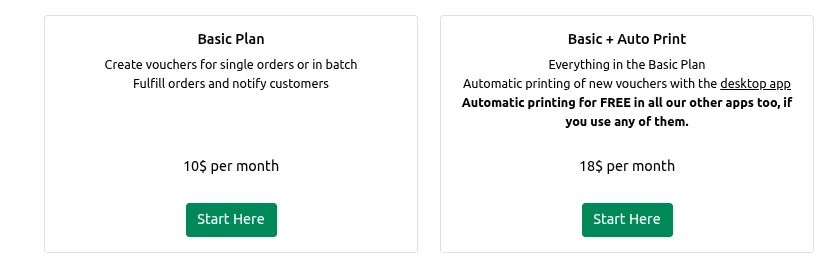
Choose a plan and click Start Here in its box: Basic Plan or Basic + Auto Print, which adds automatic printing and gives it to all our other apps you use for free. On your first install, your 30-day free trial starts first.
After the free trial, the app costs $10 per month on the Basic Plan, or $18 per month on Basic + Auto Print, which adds automatic printing for all our courier apps in your shop. You're billed through your Shopify account. See full pricing.
If our ACS or Speedex app is already on Basic + Auto Print, the page shows only the Basic Plan: automatic printing is already included for free.
On the Shopify page that opens, click Approve to confirm the subscription. You'll return to the app's home page.
3App settings
To create ELTA Courier vouchers you need your ELTA Courier web services credentials. If you don't have them yet, ask ELTA Courier, where you have your shipping agreement.
Click the App Settings button on the app's home page to open the settings:
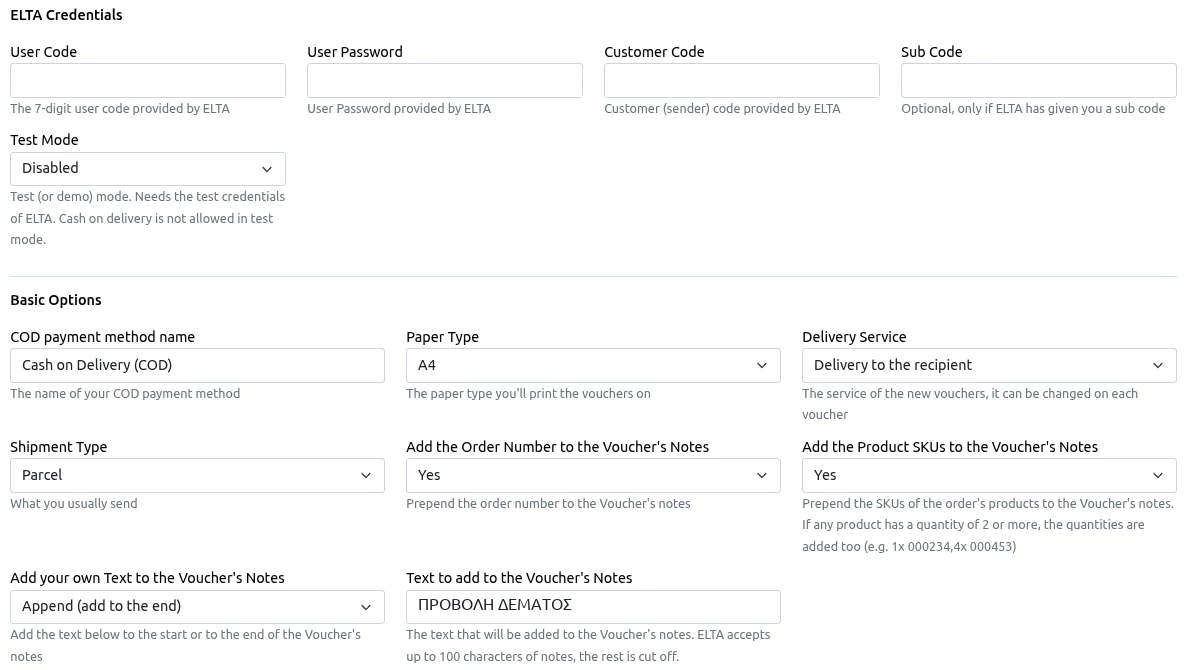
ELTA credentials
| Field | Description |
|---|---|
| User Code | The 7-digit user code ELTA Courier gave you. |
| User Password | The password ELTA Courier gave you. |
| Customer Code | Your customer (sender) code from ELTA Courier. |
| Sub Code | Optional. Fill it in only if ELTA Courier has given you a sub code. |
| Test Mode | Test (demo) mode. It needs ELTA Courier's test credentials. Cash on delivery isn't allowed in test mode. |
Basic options
| Field | Description |
|---|---|
| COD payment method name | The name of your cash-on-delivery payment method in Shopify. |
| Paper Type | The paper you print vouchers on, e.g. A4. |
| Delivery Service | The delivery service for new vouchers, e.g. “Delivery to the recipient”. You can change it on each voucher. |
| Shipment Type | What you usually send, e.g. “Parcel”. |
| Add the Order Number to the Voucher's Notes | When set to “Yes”, the order number is added to the voucher's notes. |
| Add the Product SKUs to the Voucher's Notes | When set to “Yes”, the product SKUs are added to the notes. If any product has a quantity of 2 or more, quantities are shown for every item, e.g. 1x 000234, 4x 000453. |
| Add your own Text to the Voucher's Notes | Adds your own text to the start or the end of the notes. Choose “Disabled” to turn it off. |
| Text to add to the Voucher's Notes | The text to add, e.g. “FRAGILE”. |
Up to 100 characters: ELTA Courier accepts up to 100 characters of notes. Anything longer is cut off, so keep your own text short.
Double-check that everything is correct, click Save, and you're ready to create vouchers!
4Create a voucher
To create a voucher, open the order in Shopify (the Orders menu, then click the order), click More Actions at the top right and choose Print ELTA Voucher. You'll see the voucher form:
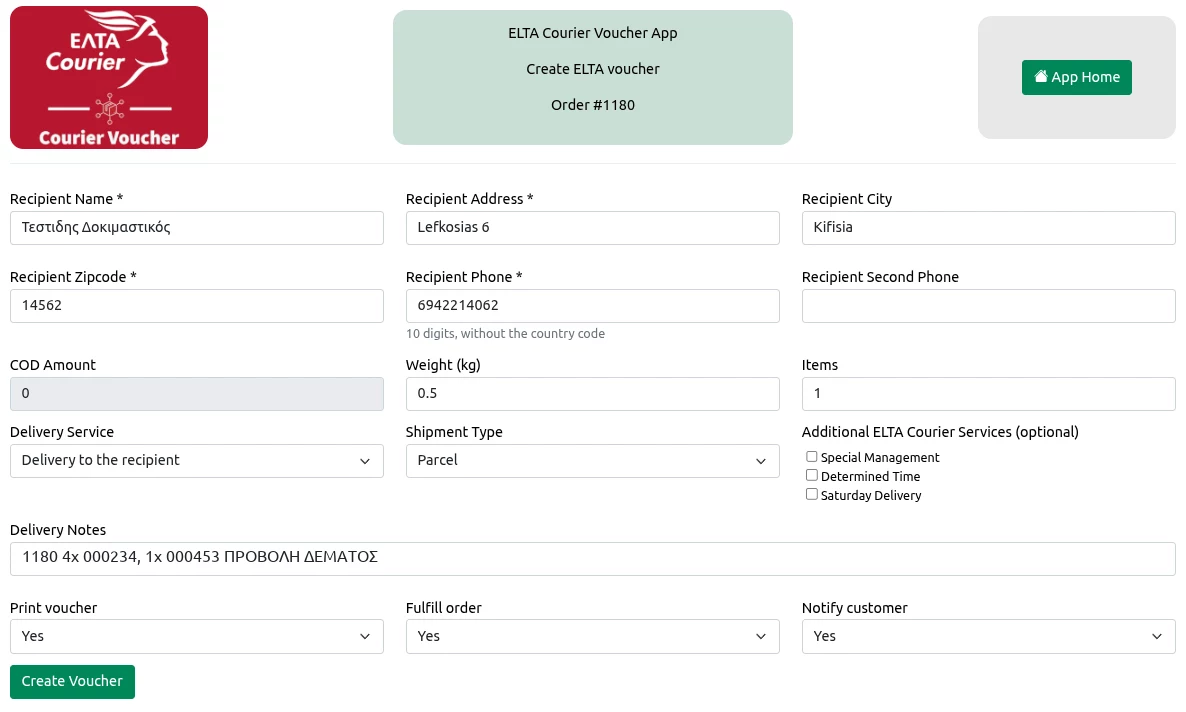
The recipient details and the cash-on-delivery amount are filled in from the order. Check them and complete the rest:
- Weight (kg) and Items: the weight and number of pieces in the shipment.
- Delivery Service and Shipment Type: they start with your settings and can be changed per voucher.
- Additional ELTA Courier Services: optional extra services, Special Management, Determined Time and Saturday Delivery.
- Delivery Notes: already filled in with the order number, SKUs and your own text, depending on your settings.
- Print voucher, Fulfill order and Notify customer: whether the voucher prints right away, whether the order is marked as fulfilled in Shopify, and whether your customer gets a notification with the tracking link.
Click Create Voucher: the voucher is created and opens as a PDF in a new tab, ready to print.
On the Basic + Auto Print plan, vouchers can print automatically, without opening the PDF. See Automatic printing with QPC CourierPrint.
5Today's vouchers
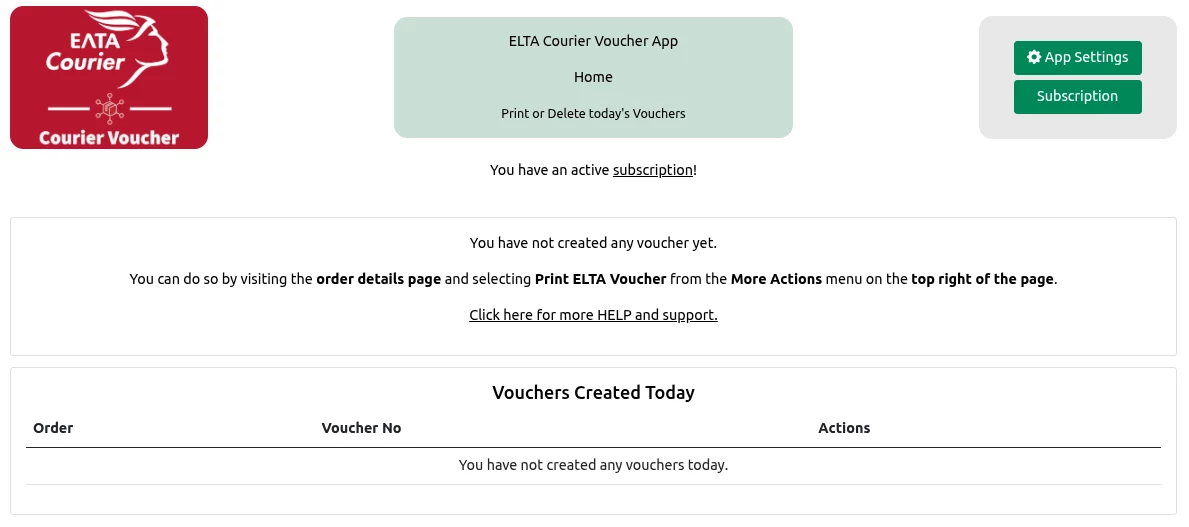
The app's home page (Apps › ELTA Courier Voucher) lists the vouchers you created today. From here you can print a voucher again or delete it.
6Automatic printing with QPC CourierPrint Desktop Printing
QPC CourierPrint is a small Windows program that prints the vouchers from all our courier apps automatically, ELTA Courier included. Each new voucher prints within seconds on the printer you've chosen, without opening the PDF. Learn more on the QPC CourierPrint page.
One plan, every courier app
Turn on Basic + Auto Print in one of our courier apps, and QPC CourierPrint prints the vouchers from all our courier apps in your shop. The other apps only need the Basic Plan.
Example: ACS on Basic + Auto Print ($18) + Speedex and ELTA on Basic ($10 + $10) = automatic printing for all three couriers for $38 a month, instead of $54.
Turn it on
- Make sure your shop has the Basic + Auto Print plan on this app or on another of our courier apps. If the plan is on another app, the Desktop Printing section says automatic printing is included for free.
- In the app settings, in the Desktop Printing section, set Print vouchers with the desktop app to Yes and press Save.
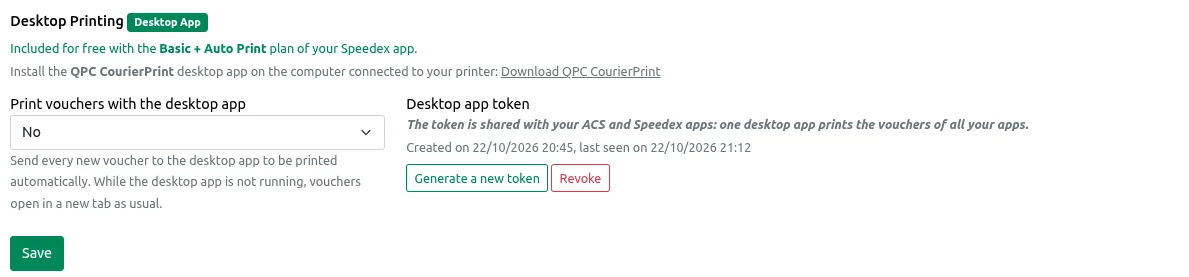
The Desktop Printing section in the ELTA app: automatic printing is included for free, and the token is shared with the ACS and Speedex apps - If QPC CourierPrint is already connected through another of our courier apps (e.g. ACS or Speedex Courier Voucher), you're done: your ELTA vouchers will print automatically too, with the same token. Don't generate a new token.
- Otherwise, press Generate token and copy it with Copy (it's shown only once). Download and install QPC CourierPrint, open its Settings, paste the token and pick your printer. You'll find step-by-step instructions on the QPC CourierPrint page.
Download QPC CourierPrint 1.0.0 Windows 10/11, 64-bit · MSI · 56 MB
QPC CourierPrint must be running to print, so we recommend turning on the start-automatically option. macOS and Linux versions are coming later.
Ready to get started?
Install ELTA Courier Voucher and create your first voucher today. The first 30 days are free.